Is your customers’ business running on someone’s personal mobile?
Picture a small freight forwarder with twelve staff and one very busy operations coordinator. Let’s call him Dave.
Dave’s mobile is, by default, the company’s customer service line. Drivers text him updates. Customers text him for an ETA. The shipping line texts him when a container gets rolled.
One Tuesday morning at the dock, Dave’s phone goes in the water.
Here’s the first problem. Everything customers have ever texted that business lived on that phone, and nowhere else. No one can see any of the quote requests that come in over the next two days. By the time the phone’s replaced, the customer has gone to whoever answered first.
The next problem is bigger – the number was never the businesses. It’s on Dave’s personal plan, in Dave’s name. If the company wants it, that’s Dave’s call to make, not theirs – his authorisation first, then a carrier process behind it.
Which is fine, right up until the Tuesday Dave resigns and joins a competitor down the road. The threads go with him. The contacts go with him. And this time the number goes too, because the only person who can sign it over is the one who just walked out.
YakChat puts the number on the business, not the person, and the conversations in Teams where the whole team can see them – so conversations belong to the business, not an individual.
The question to put to your customer base isn’t “do you want an SMS product?” It’s: “When your team texts a customer, whose phone do they use – and if that person leaves tomorrow, who owns the thread?”
Most of them can’t answer that comfortably. That’s your opening.
What You’re Selling
YakChat is a business SMS application that installs into Microsoft Teams and Cisco Webex in one click. No separate app, no portal to switch to, no contact database to sync. Microsoft SSO signs users in, and contacts come straight from Outlook and Microsoft 365.
The parts that close deals:
One DID for voice and SMS. Text-enable Microsoft Teams and use one number for calling and text. Customers reply to the number they already ring.
Personal and shared inboxes. A private 1:1 inbox per user, or a team inbox with owner assignment and closed conversations. The business owns the history.
MFA and OTP into a Teams channel. Codes stop being hostage to whoever is holding one particular phone at 6pm on a Friday.
Power Automate. Inbound triggers on Essentials, outbound on Professional. This is where reminders start sending themselves.
Translation across ~110 languages, in-line, on Professional.
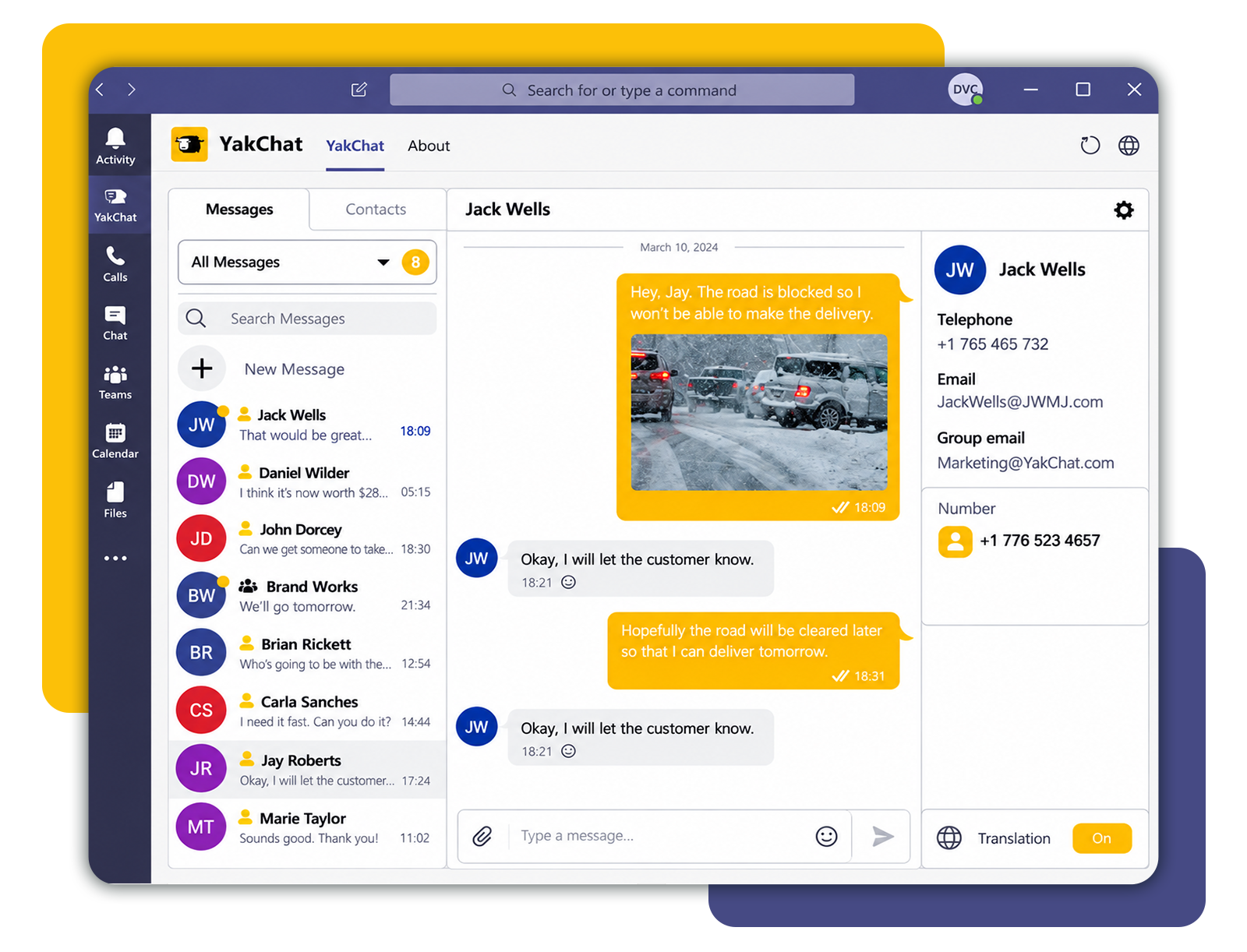
Three plans: Lite for one shared inbox up to ten users, Essentials for an inbox per user (where most deals should land), and Professional for translation, AI composition, and outbound automation.
Why It’s An Easy Attach
It bolts onto deals you’ve already closed. Every Teams or Webex customer you have is a candidate, and the qualifying conversation takes seconds.
Every deal carries three revenue lines. YakChat licences, an SMS Gateway, and mobile numbers. The gateway isn’t an upsell you have to win separately. It’s part of the solution, ordered through the standard flow in SASBOSS® and quoted alongside the licences.
Seats compound. Add a user and you add a licence line and pooled SMS spend on the gateway. Automate a reminder workflow and volume steps up again. The account grows without another sales cycle.
It makes the number sticky. A customer texting from their DID, with two years of history behind it, is not casually porting that number to a cheaper provider. YakChat is churn insurance you can sell as a feature.
One disqualifier: YakChat is a one-to-one messaging tool, not a bulk marketing platform or an A2P campaign engine. High-volume broadcast or application-originated messaging? Talk to your account manager first.
Where to Start?
Open your customer list and find one business where the texting happens on someone’s personal mobile.
Ask them: if that person left tomorrow, who owns the conversation?