If you have watched our demo, you have heard AIX Receptionist take a live call. In this article, I want to explain what sits behind it.
AIX Receptionist is an AI Voice Assistant that talks to callers the way a good receptionist would. Below, I cover what it does, how a call flows and where it fits best.
The problem: five calls, one receptionist
Picture the Monday morning rush. Five calls ring at once, and one receptionist sits at the desk.
That receptionist can only take one call at a time. Meanwhile, the rest of the callers wait. Some hear an engaged tone, and others simply hang up.
Here is the catch. Most of those calls are simple. “Can I book a service?” “Is that car still available?” “Are you open Sunday?”
Each answer takes seconds. However, together they swamp the people who should handle the harder calls.
What AIX Receptionist does
AIX Receptionist covers four jobs:
- It takes up to 10 calls at once. Nobody waits when the phones get busy.
- It answers questions about the business. Callers speak naturally, so there are no “press 1” menus.
- It transfers callers to the right team. Sending each caller to the correct department or site.
- It works with what you already have. Because it sits on top of your UC and CX platforms, or your own phone system.
The last point is the big one. Customers do not need to rip anything out. As a result, the sales conversation stays simple.
How a call flows
The flow has four steps:
- The caller rings the main number. AIX picks up straight away, even when other calls are live.
- The caller says what they need. They use their own words.
- AIX answers common questions. It pulls opening hours, prices and policies from its knowledge base.
- AIX transfers the call. It asks which site the caller needs, then puts them through to the right team.
The principle is simple. AIX answers what it can, then transfers the rest. Therefore, your staff only take the calls that need real judgement.
The knowledge base matters here, because AIX answers from it, callers get consistent information every time.
A real example: car dealerships
The demo uses a car dealership because the call pattern is so clear.
Picture one main number serving five departments across two sites. Those departments are sales, service and MOT, parts, finance and the bodyshop. Calls arrive in bursts, and most callers just need a quick answer or the right department.
In the demo, you will hear Kingsmere Motor Group, a fictional dealership. Listen for three things:
- How fast AIX answers
- How natural the conversation feels
- How it asks which site the caller needs before it transfers
Together, those add up to low latency, fast responses and a smoother customer experience.
Of course, dealerships are only one example. Any business with one busy number and several teams fits the same pattern.
Why you can trust it on the front line
A front line voice has to be reliable. For that reason, Access4 runs its own carriage service. Every recording follows a zero retention policy. For UK deployments, customer data stays in dedicated data centres in London and Manchester.
The early results back this up. In the first month, AIX handled over 500 calls and more than 10 hours of live conversation. There were no reported issues.
SASBOSS: where it all comes together
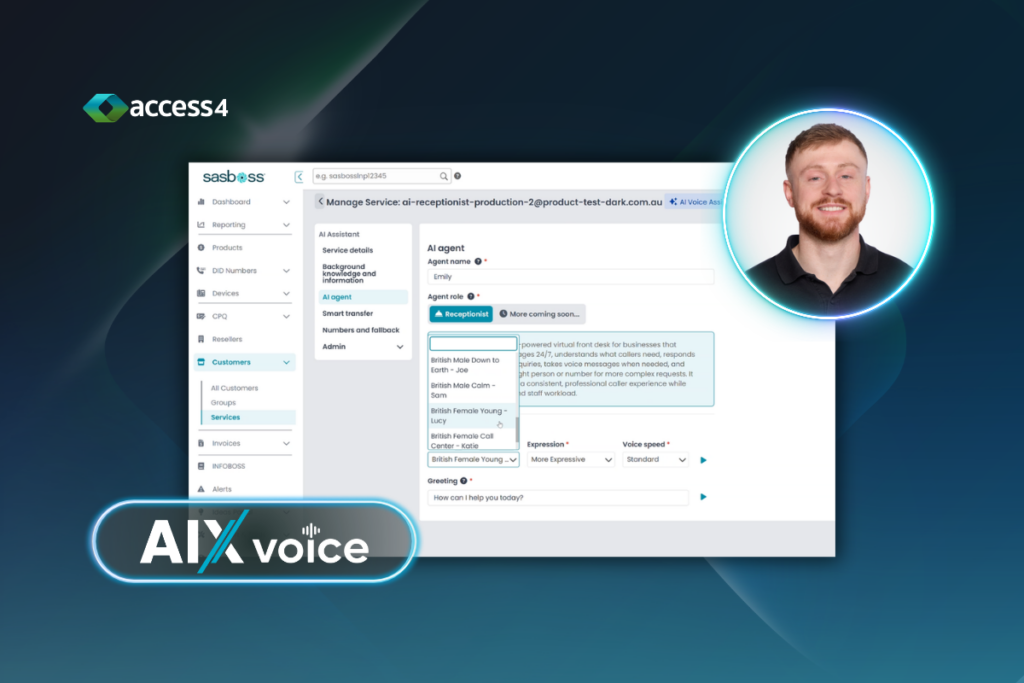
This is the part I would not skip. You provision and manage AIX in SASBOSS, exactly like the rest of the Access4 portfolio. For example, provisioning and support sit in the same place.
So there is no new vendor, no new portal and no separate contract. Consequently, adding AIX to an existing customer becomes a short conversation. SASBOSS does the heavy lifting behind it.
Hear it for yourself
Watch the demo video below and listen to a live call. Then think about which of your customers has a phone that never stops ringing.
Ready to see AIX for yourself? Book a demo for AIX Receptionist today.